


One Year with the Mac Studio M2
I've always wanted a Mac Studio. Last year I bought one, to use for my day to day to work. Here's what you need to know
I attended POST/CON 2025. Here are my thoughts
I just returned from POST/CON 25 in Los Angeles. Here are some of my thoughts, and some cool stuff to look out for.
Build Your Own Bedrock Empire: The Ultimate Minecraft Server Guide
Want to run your own Minecraft server? Thisr step-by-step guide will walk you through creating a Minecraft Bedrock server on Ubuntu using AWS Lightsail from start to finish.
LVM 101: A Beginner's Guide to Logical Volume Management on Ubuntu
Learn the basics of Logical Volume Management (LVM) in Ubuntu with this step-by-step beginner's guide. Set up, manage, and expand storage like a pro!
Running DeepSeek R1 Locally on a Raspberry Pi
I tried running DeepSeek R1 locally on a couple of Raspberry Pis. Here's how it went, and full instructions if you want to try it yourself.
What Is Deepseek R1 and Why Should You Care?
DeepSeek R1 is either a “massive revolution” for AI, or an overhyped mess. Which one is it?
AI New Hotness January 9th 2025
This newsletter explores exploding Generative AI with news like a $3,000 AI supercomputer & Google's AI podcast that turns searches into news briefings. Plus, developer tools & learning resources!
Unlock Maximum Performance: How to Set Your Jetson Orin Nano to 25 Watts
Learn how to unlock the full potential of your Jetson Orin Nano with this easy guide to enable 25W mode. Boost performance by up to 70% in minutes!
How Fast Does the Jetson Nano Really Run Large Language Models?
Can your Jetson Orin Nano handle the latest LLMs? We test a range of models to see how fast they run.
AI New Hotness December 13th 2024
🔥 This week in the AI world: 🚀 Microsoft's PromptWizard, NVIDIA's Jetson Orin Nano Super Kit, Instagram's AI Video Editing, FREE AI Certificates from Microsoft and IBM. Check it out.
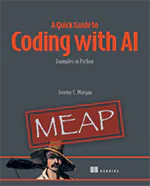
AI changed software development. This is how the pros use it.
Written for working developers, Coding with AI goes beyond hype to show how AI fits into real production workflows. Learn how to integrate AI into Python projects, avoid hallucinations, refactor safely, generate tests and docs, and reclaim hours of development time—using techniques tested in real-world projects.