


How to Install .NET in Manjaro Linux

Jeremy Morgan 
Feb 18, 2022 - 2 min read
Last Update: Mar 25, 2023

AI changed software development. This is how the pros use it.
Written for working developers, Coding with AI goes beyond hype to show how AI fits into real production workflows. Learn how to integrate AI into Python projects, avoid hallucinations, refactor safely, generate tests and docs, and reclaim hours of development time—using techniques tested in real-world projects.
I absolutely love .NET development. I also love working in Linux. So the .NET Core project was a real blessing for me, and now .NET Core has become .NET 6. It’s very mature, stable, and empowers you to build endless ideas. If you want to run or develop .NET applications in Manjaro Linux, you may notice no instructions for it. So, I decided to document my setup.
We’ll cover running .NET applications and building .NET applications in Manjaro.
If you want to run .NET applications:
If you just want to run .NET applications on Manjaro, it’s pretty easy. Here’s how you get the latest runtime. You’ll need to download the dotnet-install.sh file and make a change to a file.
At a command prompt, get the script:
wget https://dot.net/v1/dotnet-install.sh
and make it executable:
chmod +x dotnet-install.sh
Then, you can run it and grab the latest version of the .NET runtime.
sudo ./dotnet-install.sh --install-dir /usr/share/dotnet -channel Current -version latest
It should look something like this:
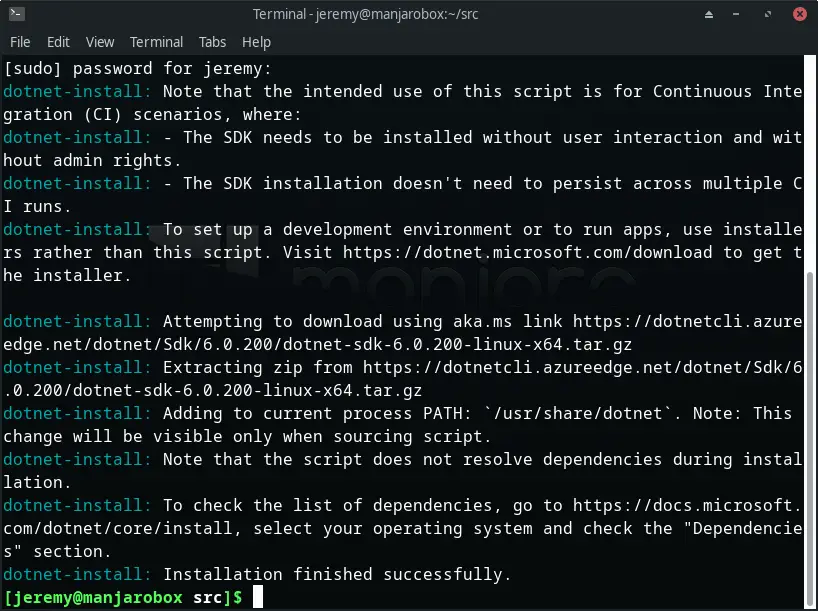
Great! Now you’re up and running.
Then, you’ll need to create /etc/profile.d/dotnet.sh and add the following:
export DOTNET_ROOT=/usr/share/dotnet
export MSBuildSDKsPath=$DOTNET_ROOT/sdk/$(${DOTNET_ROOT}/dotnet --version)/Sdks
export PATH=${PATH}:${DOTNET_ROOT}
Now, you’re ready to go. Log out and log back in.
Run
dotnet --list-sdks
And it should look something like this:

And we can see our SDK. Now you can run .NET applications on your Manjaro machine.
If you want to develop .NET applications
If you want to develop applications, the best way is to use the Arch repositories and install the .NET Core SDK
You can install this with Pacman:
sudo pacman -S dotnet-sdk
if you want the ASP.Net Runtime also, you can run this:
aspnet-runtime
You will also need to run this:
Create /etc/profile.d/dotnet.sh and add the following:
export DOTNET_ROOT=/usr/share/dotnet
export MSBuildSDKsPath=$DOTNET_ROOT/sdk/$(${DOTNET_ROOT}/dotnet --version)/Sdks
export PATH=${PATH}:${DOTNET_ROOT}
To use the extra tools, such as dotnet ef, you will want to add a line to your .bashrc file.
open it up:
vim ~/.bashrc
And add the following at the end:
export PATH="$PATH:/home/jeremy/.dotnet/tools"
Now reload the file:
source ~/.bashrc
And you’re ready to go. Let’s test it out!
Create a new application
Let’s create a new Blazor application to test the .NET SDK on our Manjaro machine. Type in the following:
dotnet new blazorserver -o BlazorTest --no-https
This will create a new Blazor application. You should see something like this:
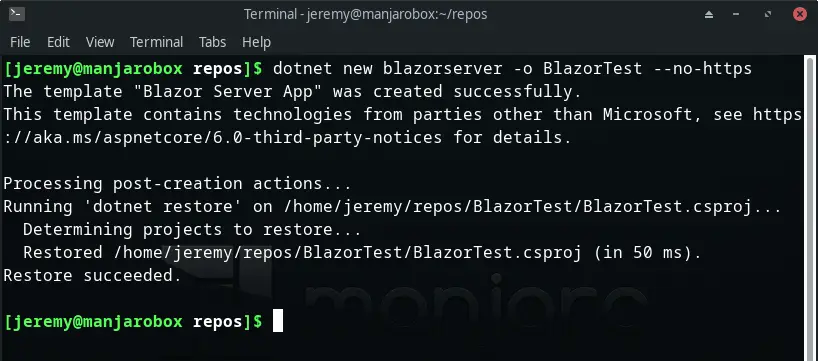
Let’s run it:
cd BlazorTest
dotnet watch
And here it is!
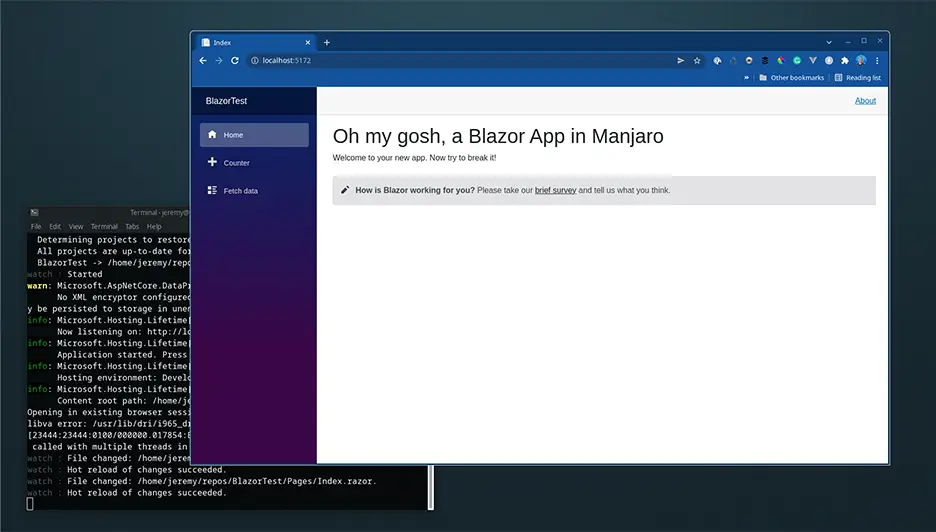
Using dotnet watch you can run your application and use hot reload. This way you can make changes in real time.
Enjoy!

Skip the hype. The newsletter that keeps you in the know.
AI news curated for engineers. The AI New Hotness Newsletter is what you need.
Zero fluff. Just the research, tools, and infra updates that actually affect your production stack.
Stay up to date on AI for developers - Subscribe on LinkedIn