


One Year with the Mac Studio M2

Last Update: Sep 20, 2025
AI changed software development. This is how the pros use it.
Written for working developers, Coding with AI goes beyond hype to show how AI fits into real production workflows. Learn how to integrate AI into Python projects, avoid hallucinations, refactor safely, generate tests and docs, and reclaim hours of development time—using techniques tested in real-world projects.
If you know me or are a reader of this blog, you know about my love/hate relationship with Apple products. I love how they work, hate the walled garden and the price tag.
I bought a Mac laptop in 2003 that I loved, and I still own it. (Though it has Ubuntu on it now). I’ve had tons of Mac Minis through the years and loved them, and was disappointed by the last one. I promptly returned it.
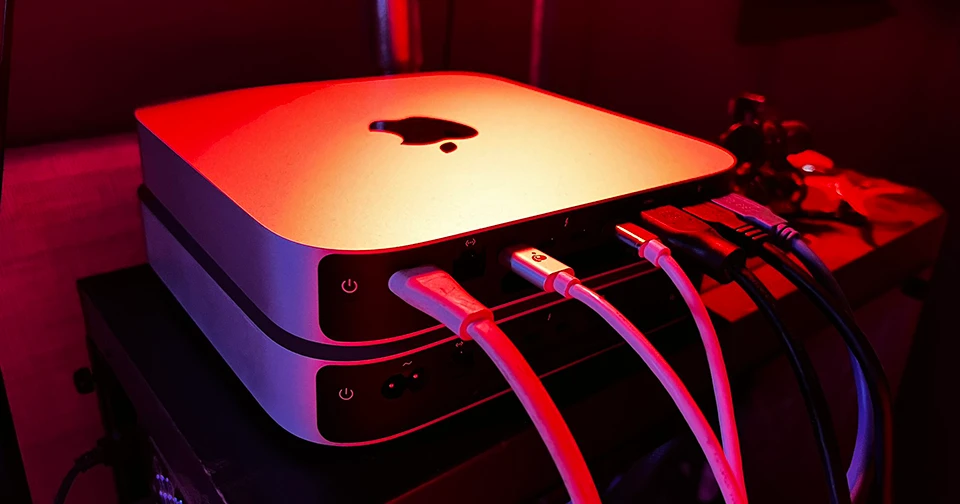
I was not ready to give up on Apple, though. Six months after buying a lemon of a Mac, I decided to spend twice as much money on a Mac Studio.
Yeah, you read that right. The reason is I’ve ALWAYS wanted a Mac Studio. Either I couldn’t afford one, or I couldn’t justify it. This is normal for most people. However, I decided to take the plunge. So here’s what I do daily:
- Software Development
- AI/LLM Stuff. (downloading models, testing them, etc)
- More software development
- Video recording/editing/rendering (lots of it)
- Writing
- Silly hobby side projects
This was true a year ago as well. So I thought to myself, “What if I just spend a pile of money on a nice Mac Studio?” and the hope was to have it run smoothly and not need an upgrade for a few years. So I took the plunge.
The Mac Studio I Ordered.
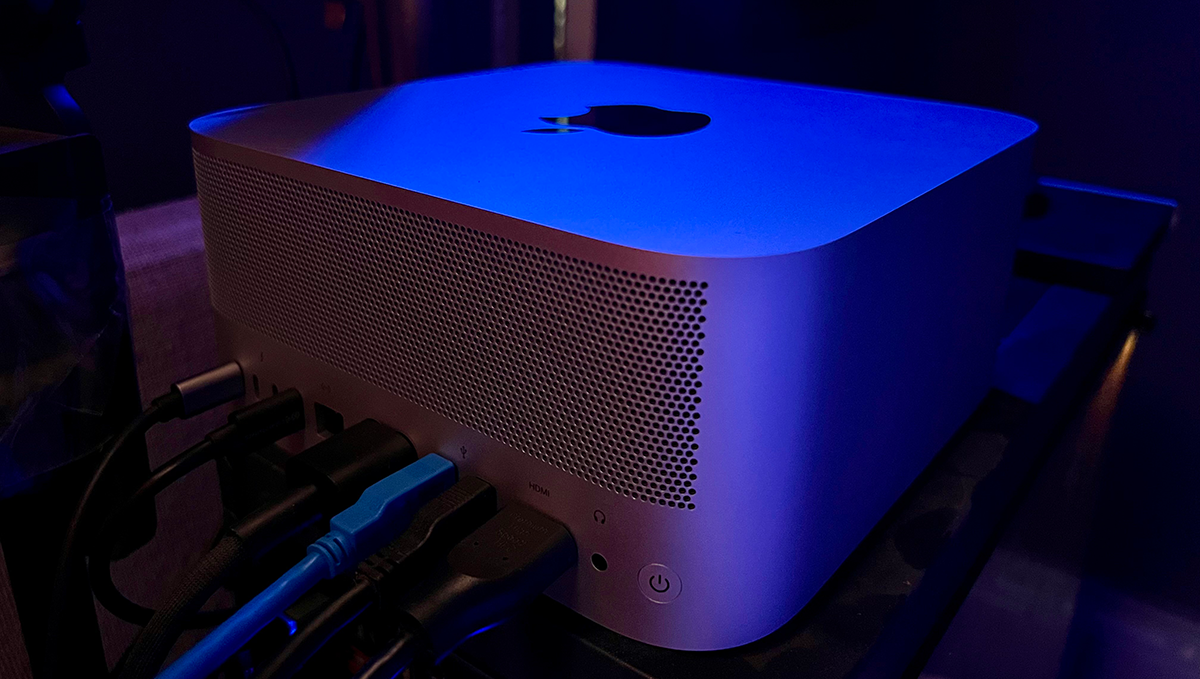
I gave it some careful thought. It took me two weeks to decide what to order. In short, I “maxed out” everything I could, except the GPU and hard drive.
- Apple M2 Ultra with 24‑core CPU (MAX)
- 60‑core GPU (ALMOST MAX)
- 32‑core Neural Engine (MAX)
- 128GB unified memory (MAX)
- 2TB SSD storage (NOT MAX, but I can add more later)
- Front: Two Thunderbolt 4 ports, one SDXC card slot
- Back: Four Thunderbolt 4 ports, two USB-A ports, one HDMI port, one 10Gb Ethernet port, one 3.5 mm headphone jack
Total Cost: $5,199.00 Yikes!
But shortly after I ordered this, they announced the M3 Ultra, and a similarly outfitted machine is well over 6k. So I’m fine with it.
What I didn’t Max Out and Why
I chose the 60-core GPU instead of the 72-core. Why? I couldn’t justify the extra cost, and I have a 4090 machine for the huge AI tasks if needed. I haven’t regretted this decision.
I also didn’t max out the HD space because it would have added a couple of thousand dollars. Apple is still ridiculous on hard drive premiums. I bought a 4TB external drive for my apps. Again, I don’t regret this.
So I’ll shut up now. Here’s what I think after a year of using it.
The Verdict:
Ok, I use this thing every day. I’ve built six or more courses with it, along with countless YouTube videos and other content. What do I think?

I love it. This purchase was absolutely worth it.
What I like:
- It’s lightning fast: Whether rendering 4k videos or day to day to work, it’s screaming fast. I don’t find myself waiting for much.
- Incredibly stable: I haven’t had any issues with hardware or software. If there have been glitches, they’ve been tiny and not memorable. It just works!
- Great AI machine: I can run models from small to large on here with ease. Because of the architecture, I can run larger models on this than my 4090, although slowly.
- It’s silent nearly always: Unless I’m taxing it with something big, you can’t hear this, which is great for recording things.
What I Don’t Like:
- It’s expensive: Yeah, it’s a lot of money. But it’s worth it.
- Limited upgrade options: You can’t upgrade the hard drive or memory later. That puts an end cap on the lifespan.
I’m glad I bought it. It’s expensive. I could have built two, maybe three standard PCS for this price. However, I love the fact that I can just forget about the machine and focus on the work. “It just works” is a cheesy cliche, and it’s been true for me the last year.
Hit me up if you have any questions!
– Jeremy

Skip the hype. The newsletter that keeps you in the know.
AI news curated for engineers. The AI New Hotness Newsletter is what you need.
Zero fluff. Just the research, tools, and infra updates that actually affect your production stack.
Stay up to date on AI for developers - Subscribe on LinkedIn

